Informacje og�lne
�rednia: 9.0 /10
Kategoria: Standardowy
Nazwa: Local Game (OnGame)
Typ: Custom game
Host: OnGame
Zapisuj�cy: OnGame, Wrzucaj�cy: TheGodfather
D�ugo��: 13:35
Wersja: 1.14 Warcraft III - Frozen Throne
Dodano: 16:09:13, Friday 23. January 2009
Nazwa: Local Game (OnGame)
Typ: Custom game
Host: OnGame
Zapisuj�cy: OnGame, Wrzucaj�cy: TheGodfather
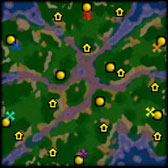
Mapa: GnollWood
Nie masz mapy? Zajrzyj tutaj : Zbi�r map Warcrafta
Gracze: 3Nie masz mapy? Zajrzyj tutaj : Zbi�r map Warcrafta
D�ugo��: 13:35
Wersja: 1.14 Warcraft III - Frozen Throne
Dodano: 16:09:13, Friday 23. January 2009
Opis:
Brak opisu.
Brak opisu.
�ci�gnij teraz!(112 KB)
(�ci�gni��: 245)
(�ci�gni��: 245)
Oceny admin�w
Gracze
team 1 (loser - zaznacz myszk� aby zobaczy� zwyci�zc�) aLt)duckie (od�wie� level) (green | 242 APM | 3265 actions | 13:27)
 3 Death Knight
  2 Death Coil
 1 Unholy Aura
 3 Lich
  2 Frost Nova
 1 Dark Ritual
» actions
| Assign group hotkey | 238 | |
| Basic commands | 103 | |
| Build / train | 47 | |
| ESC pressed | 1 | |
| Enter build submenu | 18 | |
| Enter hero's abilities submenu | 6 | |
| Give item / drop item | 1 | |
| Remove unit from queue | 1 | |
| Right click | 896 | |
| Select / deselect | 375 | |
| Select group hotkey | 1495 | |
| Select subgroup | 10 | |
| Use ability | 74 |
| 1 | 205 | 254 | ||
| 2 | 21 | 84 | ||
| 3 | 7 | 47 | ||
| 4 | 1 | 573 | ||
| 5 | 2 | 353 | ||
| 6 | 1 | 48 | ||
| 7 | 1 | 136 |
| Acolyte | 9 | |
| Ghoul | 3 | |
| Crypt Fiend | 9 | |
| Obsidian Statue | 2 |
| Web | 1 |
totally 1
| Crypt | 1 | |
| Graveyard | 2 | |
| Altar of Darkness | 1 | |
| Ziggurat | 4 | |
| Tomb of Relics | 1 | |
| Nerubian Tower | 1 | |
| Halls of the Dead | 2 | |
| Slaughterhouse | 1 | |
| Black Citadel | 3 | |
| Sacrificial Pit | 1 |
totally 17
00:05 Crypt
00:08 Graveyard
00:12 Graveyard
00:49 Altar of Darkness
00:55 Ziggurat
01:25 Ziggurat
01:38 Tomb of Relics
02:09 Nerubian Tower
03:43 Halls of the Dead
03:43 Halls of the Dead
04:26 Ziggurat
05:53 Ziggurat
06:52 Slaughterhouse
07:59 Black Citadel
07:59 Black Citadel
07:59 Black Citadel
09:20 Sacrificial Pit
» items
00:08 Graveyard
00:12 Graveyard
00:49 Altar of Darkness
00:55 Ziggurat
01:25 Ziggurat
01:38 Tomb of Relics
02:09 Nerubian Tower
03:43 Halls of the Dead
03:43 Halls of the Dead
04:26 Ziggurat
05:53 Ziggurat
06:52 Slaughterhouse
07:59 Black Citadel
07:59 Black Citadel
07:59 Black Citadel
09:20 Sacrificial Pit
| Rod of Necromancy | 3 |
totally 3
team 2 (winner - zaznacz myszk� aby zobaczy� zwyci�zc�)
MaDFroG[Intel] (od�wie� level) (blue | 310 APM | 4182 actions | 13:28) 4 Death Knight 2 Death Coil 2 Unholy Aura 4 Lich 2 Frost Nova 2 Dark Ritual» actions
| Assign group hotkey | 474 | |
| Basic commands | 172 | |
| Build / train | 61 | |
| ESC pressed | 1 | |
| Enter build submenu | 12 | |
| Enter hero's abilities submenu | 8 | |
| Give item / drop item | 1 | |
| Right click | 1707 | |
| Select / deselect | 302 | |
| Select group hotkey | 1384 | |
| Select subgroup | 9 | |
| Use ability | 51 |
| 1 | 244 | 502 | ||
| 2 | 111 | 335 | ||
| 3 | 108 | 194 | ||
| 5 | 8 | 214 | ||
| 6 | 1 | 139 | ||
| 7 | 2 |
| Acolyte | 2 | |
| Ghoul | 20 | |
| Obsidian Statue | 1 |
| Cannibalize | 1 | |
| Unholy Strength | 2 | |
| Unholy Armor | 1 | |
| Ghoul Frenzy | 1 |
totally 5
| Crypt | 2 | |
| Ziggurat | 6 | |
| Altar of Darkness | 1 | |
| Halls of the Dead | 3 | |
| Black Citadel | 2 | |
| Graveyard | 1 | |
| Slaughterhouse | 1 | |
| Tomb of Relics | 1 |
totally 17
00:05 Crypt
00:07 Ziggurat
00:32 Altar of Darkness
00:53 Ziggurat
02:39 Halls of the Dead
02:39 Halls of the Dead
02:39 Halls of the Dead
03:39 Ziggurat
05:18 Black Citadel
05:33 Graveyard
05:33 Ziggurat
07:26 Slaughterhouse
07:27 Tomb of Relics
08:23 Crypt
11:37 Ziggurat
11:37 Ziggurat
» items
00:07 Ziggurat
00:32 Altar of Darkness
00:53 Ziggurat
02:39 Halls of the Dead
02:39 Halls of the Dead
02:39 Halls of the Dead
03:39 Ziggurat
05:18 Black Citadel
05:33 Graveyard
05:33 Ziggurat
07:26 Slaughterhouse
07:27 Tomb of Relics
08:23 Crypt
11:37 Ziggurat
11:37 Ziggurat
| Boots of Speed | 1 | |
| Scroll of Town Portal | 2 | |
| Scroll of Healing | 1 | |
| Rod of Necromancy | 1 |
totally 5
observers
OnGame
Zapraszam do rejestracji i logowania... inaczej nie mo�esz dodawa� komentarzy!
Komentarze:
1: Pwnage
[16:30:19, Friday 23. January 2009]

 , Zg�o� do moderacji
, Zg�o� do moderacji repy z 1,14 mi w ogole nie chodza
2: Dooko
[17:21:06, Friday 23. January 2009]
, Zg�o� do moderacji
, Zg�o� do moderacji 
boze po co dodawac repy sprzed 4 lat?


5: czillaut
[19:06:35, Friday 23. January 2009]
, Zg�o� do moderacji
, Zg�o� do moderacji 
10: shocker
[11:26:18, Sunday 25. January 2009]
, Zg�o� do moderacji
, Zg�o� do moderacji jak uruchomic ten program bo cos niezabardzo mi dziala :(
11: Pwnage
[13:31:43, Sunday 25. January 2009]
, Zg�o� do moderacji
, Zg�o� do moderacji Operating Instructions.
1) Download the standalone patch(es) of what versions you want to switch to on to your hard drive. You can find these patches on the Blizzard FTP website (ftp.blizzard.com/pub/) Alternatively you can DL them at a mirror site such as ftp.gameaholic.com/pub/mi(...)
2) In eVer-Craft, click the "Add Patch" button and enter then name of the version of the standalone patch. For example: "1.16" (without the quotes).
3) Find and select the corresponding patch in the box that pops up after entering the name of the patch. Do not select anything besides the actual patch.
4) Before switching versions it is required that you make a backup copy if you do not already have one. You can do this by going to "Backup" then selecting "Create Backup". You should see files being copied. This is normal.
5) To actually reverse patch, simply select the version you wish to patch to in the drop down box and then click the "Switch Version" button.
6) If everything is working properly you should files being moved. Again this is normal. Then the patch program should run and Warcraft III will be patched to whatever version you chose.
7) It is recommended that you reload the backup when you are ready to quit eVer-Craft, although its not required.
1) Download the standalone patch(es) of what versions you want to switch to on to your hard drive. You can find these patches on the Blizzard FTP website (ftp.blizzard.com/pub/) Alternatively you can DL them at a mirror site such as ftp.gameaholic.com/pub/mi(...)
2) In eVer-Craft, click the "Add Patch" button and enter then name of the version of the standalone patch. For example: "1.16" (without the quotes).
3) Find and select the corresponding patch in the box that pops up after entering the name of the patch. Do not select anything besides the actual patch.
4) Before switching versions it is required that you make a backup copy if you do not already have one. You can do this by going to "Backup" then selecting "Create Backup". You should see files being copied. This is normal.
5) To actually reverse patch, simply select the version you wish to patch to in the drop down box and then click the "Switch Version" button.
6) If everything is working properly you should files being moved. Again this is normal. Then the patch program should run and Warcraft III will be patched to whatever version you chose.
7) It is recommended that you reload the backup when you are ready to quit eVer-Craft, although its not required.
12: vader
[16:03:53, Sunday 25. January 2009]
, Zg�o� do moderacji
, Zg�o� do moderacji Chat log
(13:27 / All) aLt)duckie: }ggg
Wykonano w czasie 0.031841993331909 sekund
Oparte na: PHP Warcraft III Replay Parser wersja 2.2 + iZiReps. Copyright © 2003 - 2009 Juliusz 'Julas' Gonera. All rights reserved.
Oparte na: PHP Warcraft III Replay Parser wersja 2.2 + iZiReps. Copyright © 2003 - 2009 Juliusz 'Julas' Gonera. All rights reserved.